
MLflow
The MLflow plugin integrates
MLflow experiment tracking with Flyte. It provides a @mlflow_run decorator that automatically manages MLflow runs within Flyte tasks, with support for autologging, parent-child run sharing, distributed training, and auto-generated UI links.
The decorator works with both sync and async tasks.
Installation
pip install flyteplugins-mlflowRequires mlflow and flyte.
Quick start
import flyte
import mlflow
from flyteplugins.mlflow import mlflow_run, get_mlflow_run

env = flyte.TaskEnvironment(
    name="mlflow-tracking",
    resources=flyte.Resources(cpu=1, memory="500Mi"),
    image=flyte.Image.from_debian_base(name="mlflow_example").with_pip_packages(
        "flyteplugins-mlflow"
    ),
)

@mlflow_run(
    tracking_uri="http://localhost:5000",
    experiment_name="my-experiment",
)
@env.task
async def train_model(learning_rate: float) -> str:
    mlflow.log_param("lr", learning_rate)
    mlflow.log_metric("loss", 0.42)

    run = get_mlflow_run()
    return run.info.run_id
@mlflow_run must be the outermost decorator, before @env.task:
@mlflow_run          # outermost
@env.task            # innermost
async def my_task(): ...
Autologging
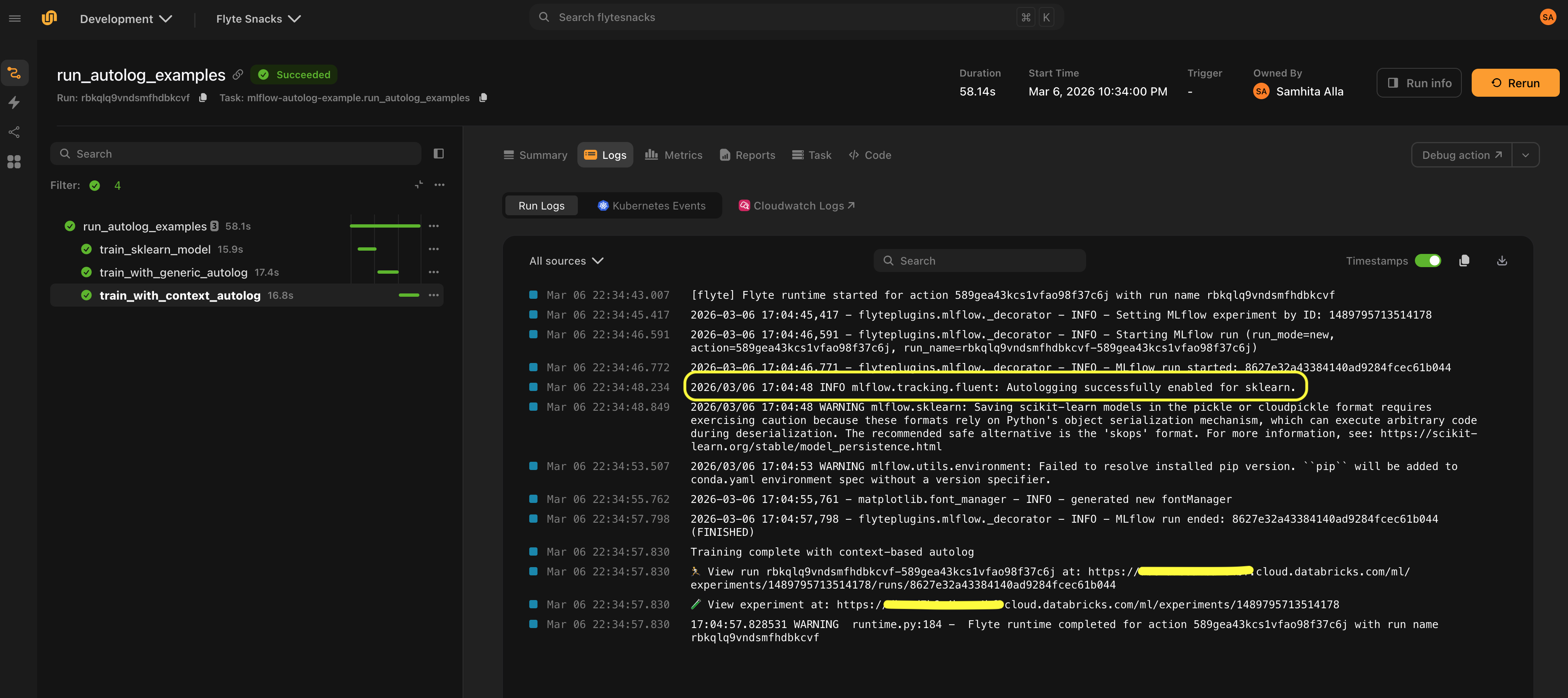
Enable MLflow’s autologging to automatically capture parameters, metrics, and models without manual mlflow.log_* calls.
Generic autologging
@mlflow_run(autolog=True)
@env.task
async def train():
    from sklearn.linear_model import LogisticRegression

    model = LogisticRegression()
    model.fit(X, y)  # Parameters, metrics, and model are logged automatically
Framework-specific autologging
Pass framework to use a framework-specific autolog implementation:
@mlflow_run(
    autolog=True,
    framework="sklearn",
    log_models=True,
    log_datasets=False,
)
@env.task
async def train_sklearn():
    from sklearn.ensemble import RandomForestClassifier

    model = RandomForestClassifier(n_estimators=100)
    model.fit(X_train, y_train)
Supported frameworks include any framework with an mlflow.{framework}.autolog() function. You can find the full list of supported frameworks
here.
You can pass additional autolog parameters via autolog_kwargs:
@mlflow_run(
    autolog=True,
    framework="pytorch",
    autolog_kwargs={"log_every_n_epoch": 5},
)
@env.task
async def train_pytorch():
    ...
Run modes
The run_mode parameter controls how MLflow runs are created and shared across tasks:
| Mode | Behavior |
|---|---|
"auto" (default) |
Reuse the parent’s run if one exists, otherwise create a new run |
"new" |
Always create a new independent run |
"nested" |
Create a new run nested under the parent via mlflow.parentRunId tag |
Sharing a run across tasks
With run_mode="auto" (the default), child tasks reuse the parent’s MLflow run:
@mlflow_run
@env.task
async def parent_task():
    mlflow.log_param("stage", "parent")
    await child_task()  # Shares the same MLflow run

@mlflow_run
@env.task
async def child_task():
    mlflow.log_metric("child_metric", 1.0)  # Logged to the parent's run
Creating independent runs
Use run_mode="new" when a task should always create its own top-level MLflow run, completely independent of any parent:
@mlflow_run(run_mode="new")
@env.task
async def standalone_experiment():
    mlflow.log_param("experiment_type", "baseline")
    mlflow.log_metric("accuracy", 0.95)
Nested runs
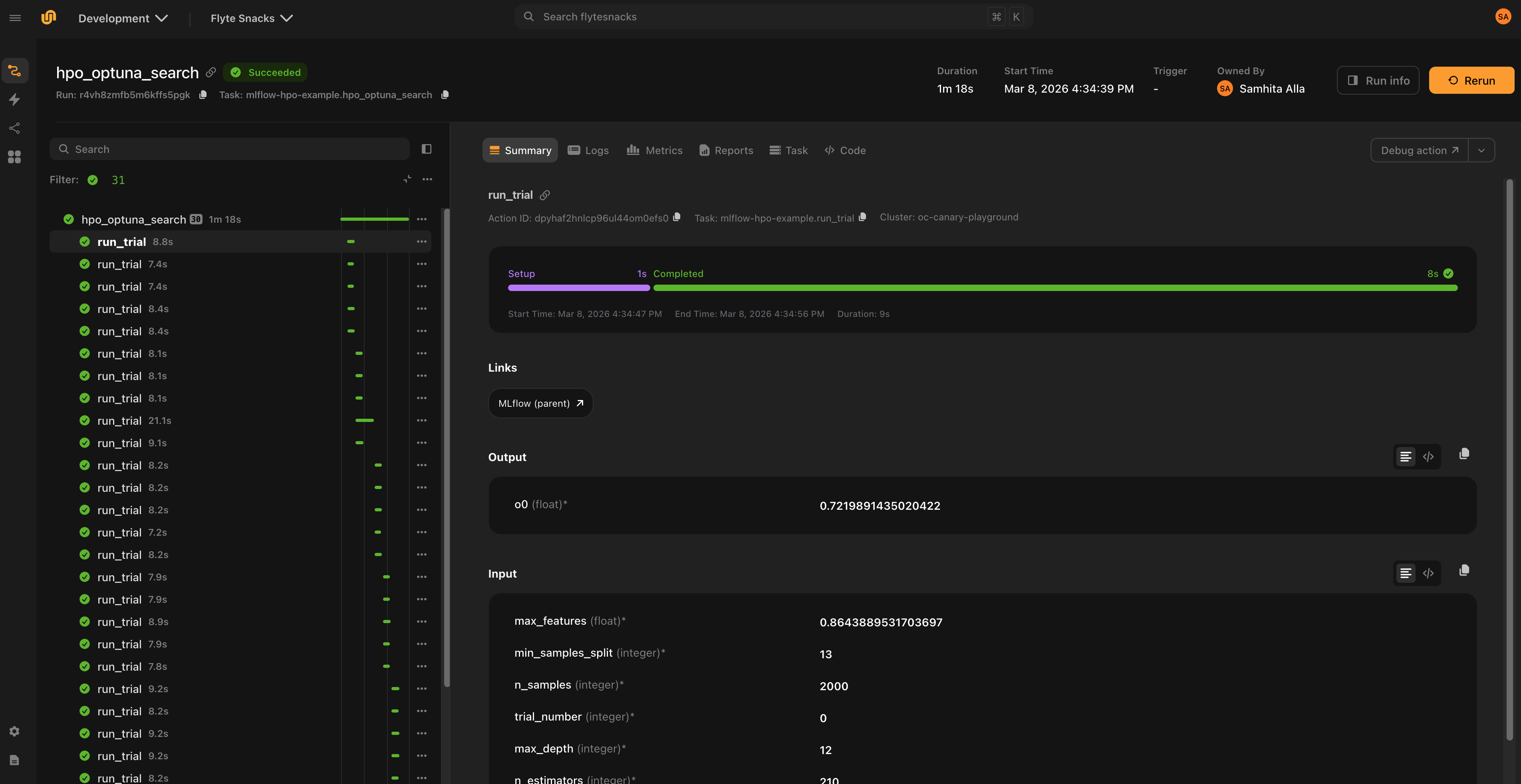
Use run_mode="nested" to create a child run that appears under the parent in the MLflow UI. This works across processes and containers via the mlflow.parentRunId tag.
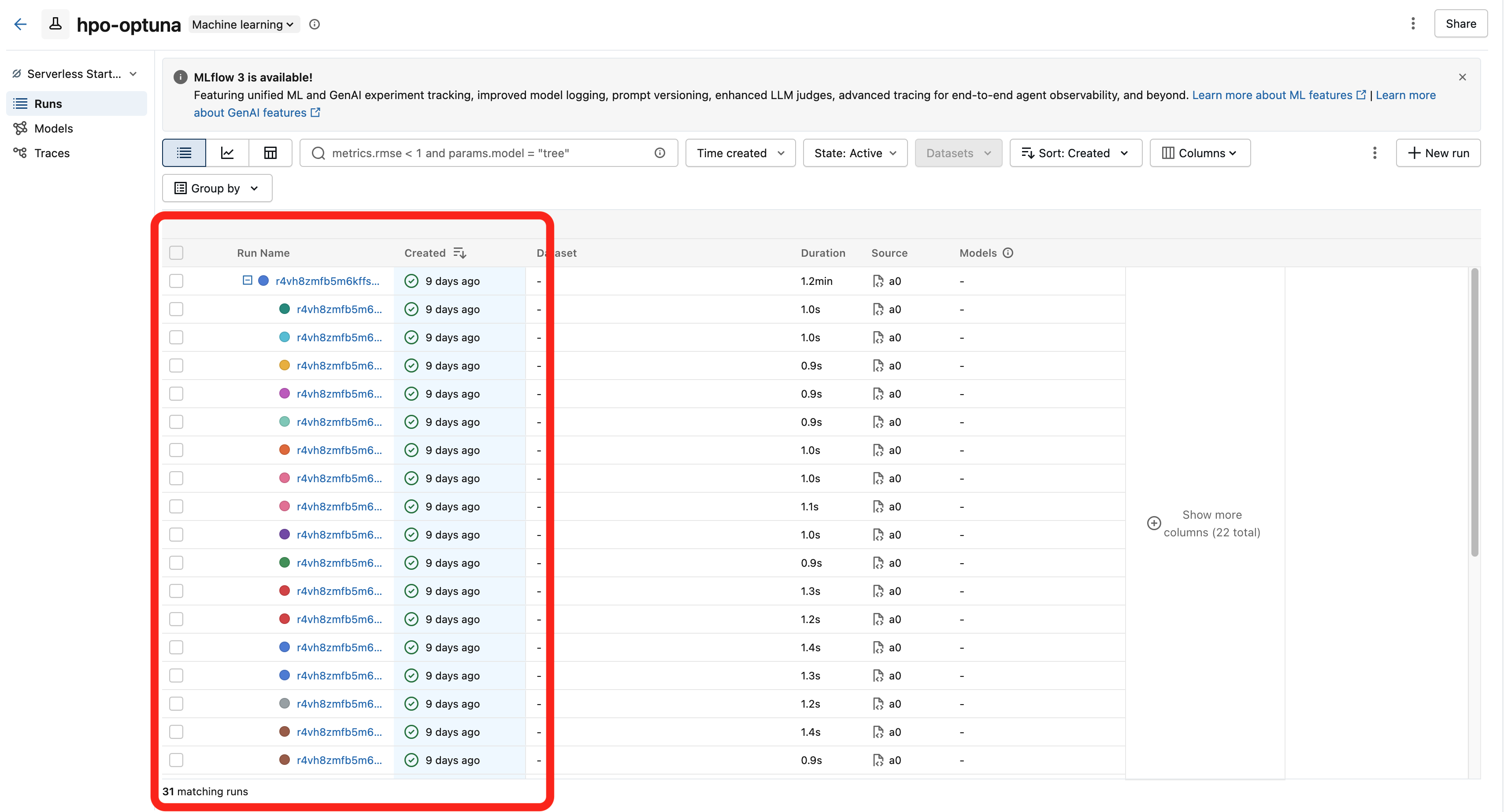
This is the recommended pattern for hyperparameter optimization, where each trial should be tracked as a child of the parent study run:
from flyteplugins.mlflow import Mlflow

@mlflow_run(run_mode="nested")
@env.task(links=[Mlflow()])
async def run_trial(trial_number: int, n_estimators: int, max_depth: int) -> float:
    """Each trial creates a nested MLflow run under the parent."""
    mlflow.log_params({"n_estimators": n_estimators, "max_depth": max_depth})
    mlflow.log_param("trial_number", trial_number)

    model = RandomForestRegressor(n_estimators=n_estimators, max_depth=max_depth)
    model.fit(X_train, y_train)

    rmse = float(np.sqrt(mean_squared_error(y_val, model.predict(X_val))))
    mlflow.log_metric("rmse", rmse)
    return rmse

@mlflow_run
@env.task
async def hpo_search(n_trials: int = 30) -> str:
    """Parent run tracks the overall study."""
    run = get_mlflow_run()
    mlflow.log_param("n_trials", n_trials)

    # Run trials in parallel — each gets a nested MLflow run
    rmses = await asyncio.gather(
        *(run_trial(trial_number=i, **params) for i, params in enumerate(trial_params))
    )

    mlflow.log_metric("best_rmse", min(rmses))
    return run.info.run_id
Workflow-level configuration
Use mlflow_config() with flyte.with_runcontext() to set MLflow configuration for an entire workflow. All @mlflow_run-decorated tasks in the workflow inherit these settings:
from flyteplugins.mlflow import mlflow_config

r = flyte.with_runcontext(
    custom_context=mlflow_config(
        tracking_uri="http://localhost:5000",
        experiment_id="846992856162999",
        tags={"team": "ml"},
    )
).run(train_model, learning_rate=0.001)
This eliminates the need to repeat tracking_uri and experiment settings on every @mlflow_run decorator.
Per-task overrides
Use mlflow_config() as a context manager inside a task to override configuration for specific child tasks:
@mlflow_run
@env.task
async def parent_task():
    await shared_child()  # Inherits parent config

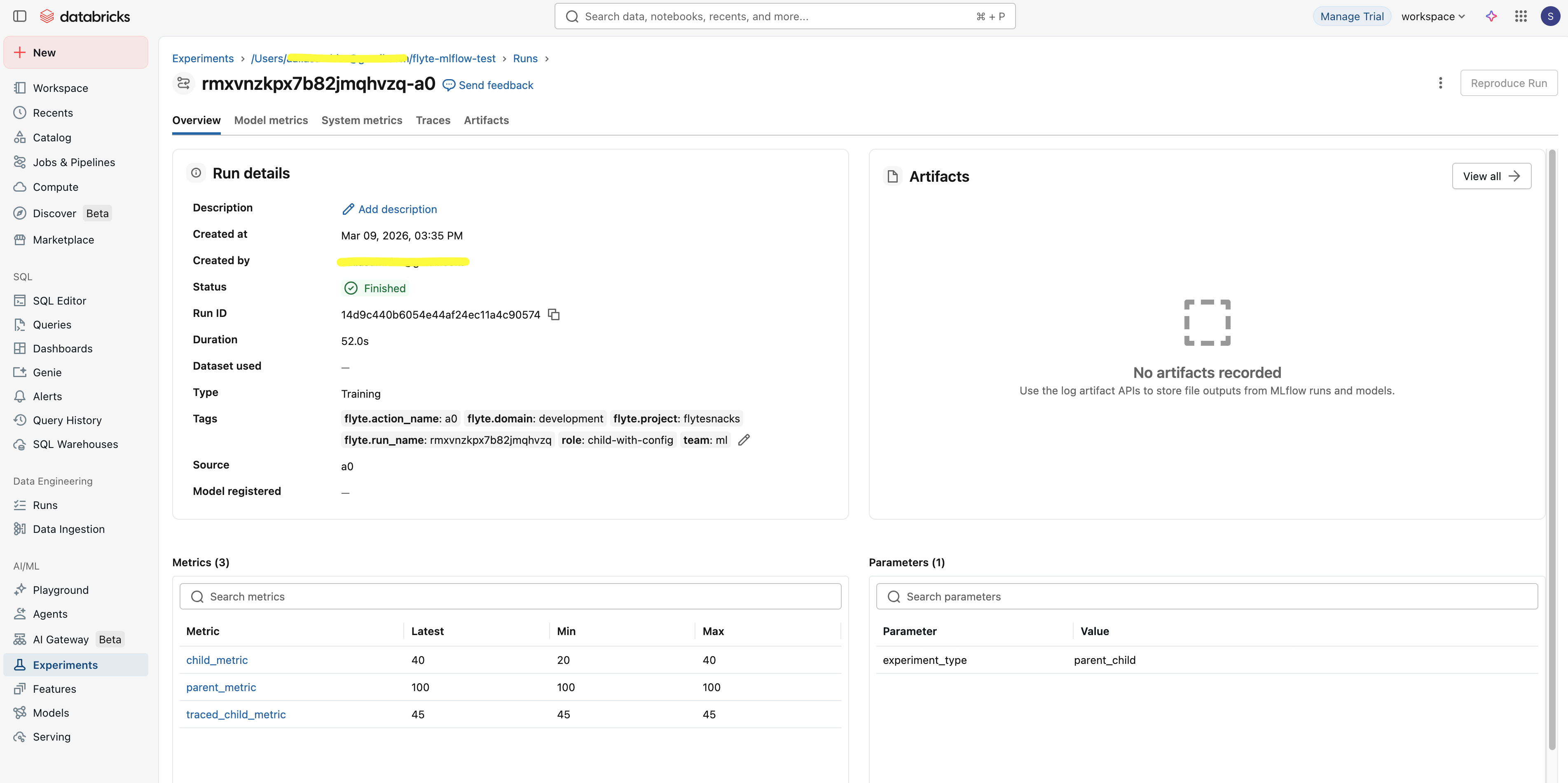
    with mlflow_config(run_mode="new", tags={"role": "independent"}):
        await independent_child()  # Gets its own run
Configuration priority
Settings are resolved in priority order:
- Explicit
@mlflow_rundecorator arguments mlflow_config()context configuration- Environment variables (for
tracking_uri) - MLflow defaults
Distributed training
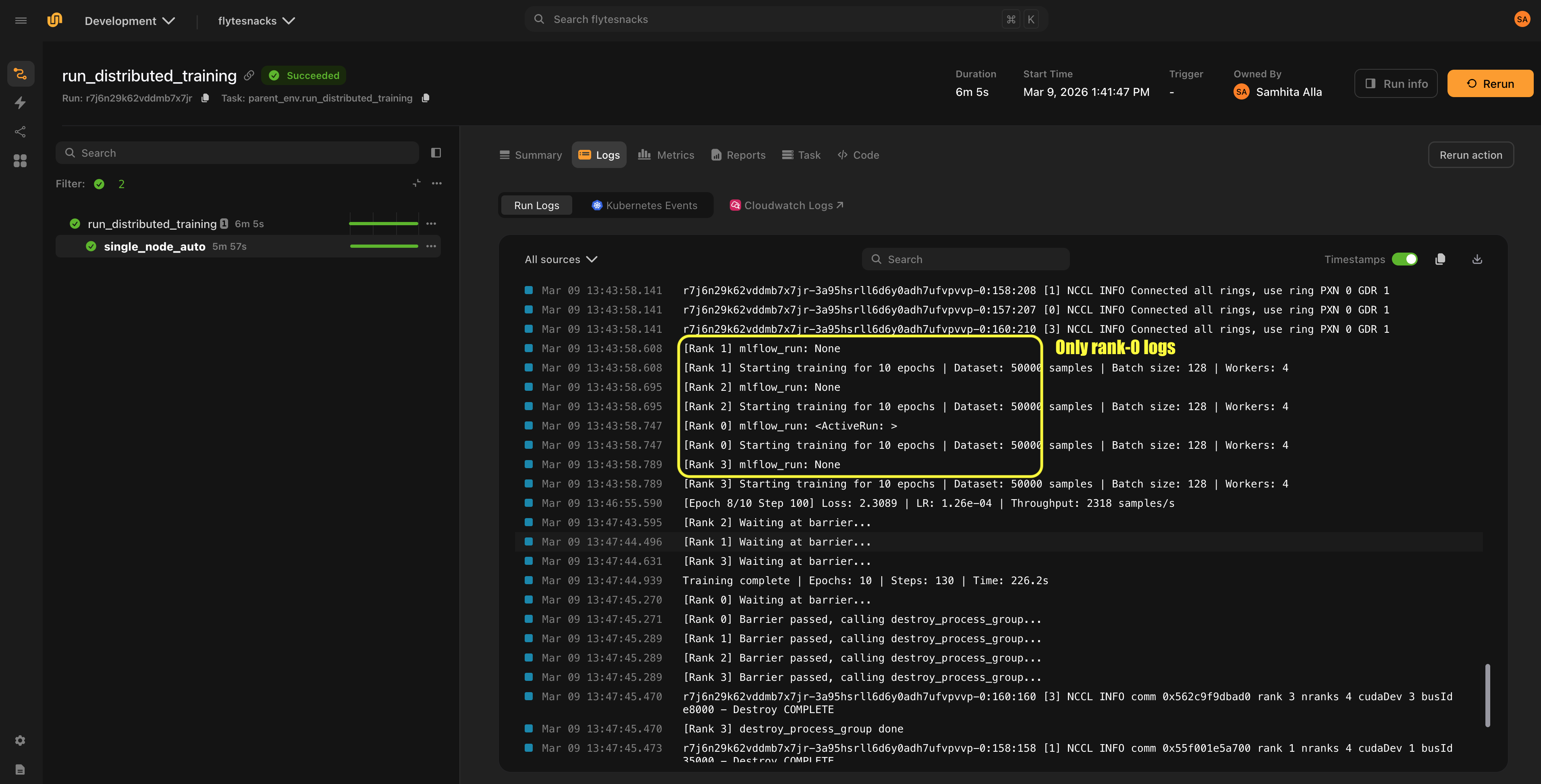
In distributed training, only rank 0 logs to MLflow by default. The plugin detects rank automatically from the RANK environment variable:
@mlflow_run
@env.task
async def distributed_train():
    # Only rank 0 creates an MLflow run and logs metrics.
    # Other ranks execute the task function directly without
    # creating an MLflow run or incurring any MLflow overhead.
    ...
On non-rank-0 workers, no MLflow run is created and get_mlflow_run() returns None. The task function still executes normally — only the MLflow instrumentation is skipped.
You can also set rank explicitly:
@mlflow_run(rank=0)
@env.task
async def train():
    ...
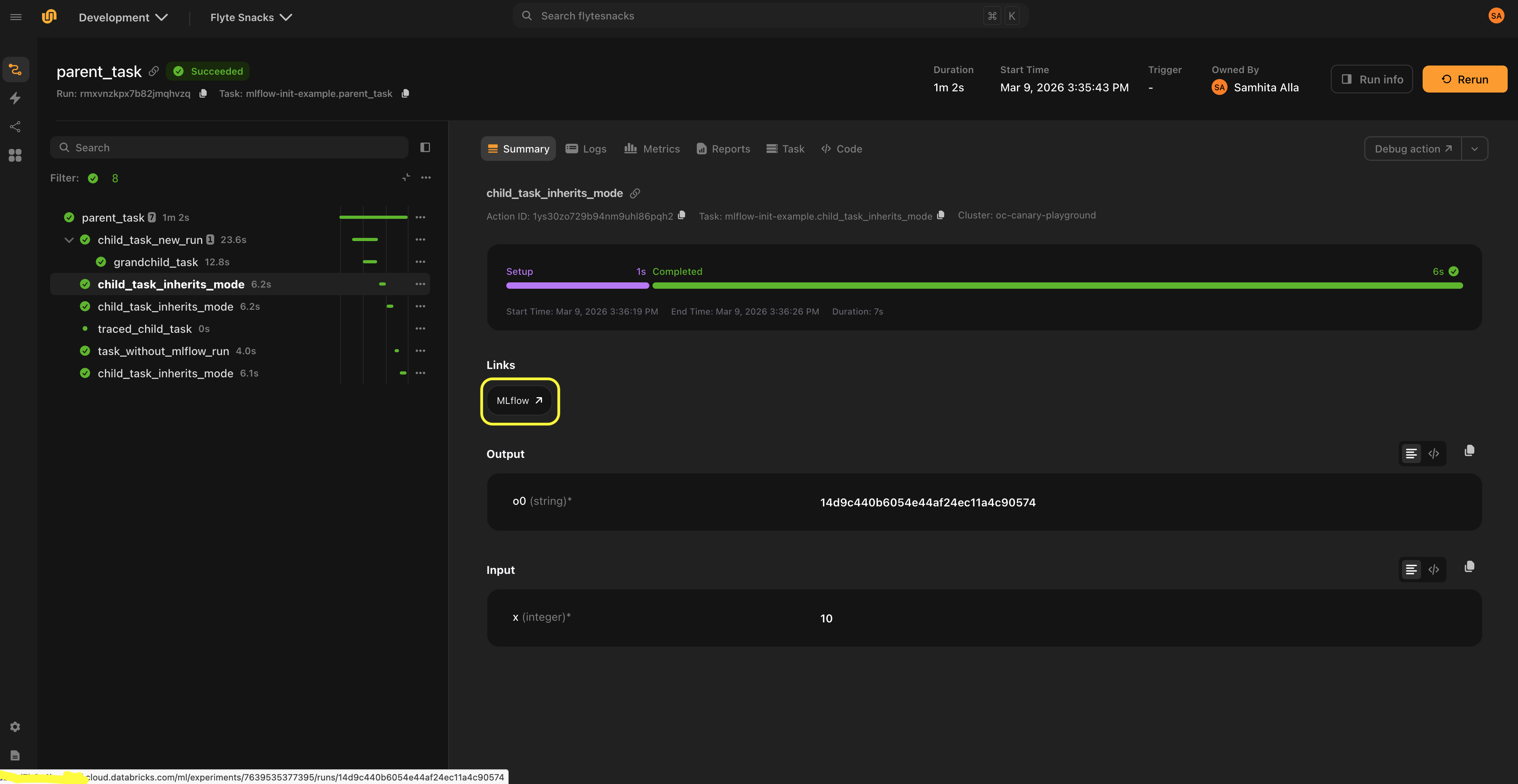
MLflow UI links
The Mlflow link class displays links to the MLflow UI in the Flyte UI.
Since the MLflow run is created inside the task at execution time, the run URL cannot be determined before the task starts. Links are only shown when a run URL is already available from context, either because a parent task created the run, or because an explicit URL is provided.
The recommended pattern is for the parent task to create the MLflow run, and child tasks that inherit the run (via run_mode="auto") display the link to that run. For nested runs (run_mode="nested"), children display a link to the parent run.
Setup
Set link_host via mlflow_config() and attach Mlflow() links to child tasks:
from flyteplugins.mlflow import Mlflow, mlflow_config

@mlflow_run
@env.task(links=[Mlflow()])
async def child_task():
    ...  # Link points to the parent's MLflow run

@mlflow_run
@env.task
async def parent_task():
    await child_task()

if __name__ == "__main__":
    r = flyte.with_runcontext(
        custom_context=mlflow_config(
            tracking_uri="http://localhost:5000",
            link_host="http://localhost:5000",
        )
    ).run(parent_task)
Mlflow() is instantiated without a link argument because the URL is auto-generated at runtime. When the parent task creates an MLflow run, the plugin builds the URL from link_host and the run’s experiment/run IDs, then propagates it to child tasks via the Flyte context. Passing an explicit link would bypass this auto-generation.
Custom URL templates
The default link format is:
{host}/#/experiments/{experiment_id}/runs/{run_id}For platforms like Databricks that use a different URL structure, provide a custom template:
mlflow_config(
    link_host="https://dbc-xxx.cloud.databricks.com",
    link_template="{host}/ml/experiments/{experiment_id}/runs/{run_id}",
)
Explicit links
If you know the run URL ahead of time, you can set it directly:
@env.task(links=[Mlflow(link="https://mlflow.example.com/#/experiments/1/runs/abc123")])
async def my_task():
    ...
Link behavior by run mode
| Run mode | Link behavior |
|---|---|
"auto" |
Parent link propagates to child tasks sharing the run |
"new" |
Parent link is cleared; no link is shown until the task’s own run is available to its children |
"nested" |
Parent link is kept and renamed to “MLflow (parent)” |
Automatic Flyte tags
When running inside Flyte, the plugin automatically tags MLflow runs with execution metadata:
| Tag | Description |
|---|---|
flyte.action_name |
Task action name |
flyte.run_name |
Flyte run name |
flyte.project |
Flyte project |
flyte.domain |
Flyte domain |
These tags are merged with any user-provided tags.
API reference
mlflow_run and mlflow_config
mlflow_run is a decorator that manages MLflow runs for Flyte tasks. mlflow_config creates workflow-level configuration or per-task overrides. Both accept the same core parameters:
| Parameter | Type | Default | Description |
|---|---|---|---|
run_mode |
str |
"auto" |
"auto", "new", or "nested" |
tracking_uri |
str |
None |
MLflow tracking server URL |
experiment_name |
str |
None |
MLflow experiment name (raises ValueError if combined with experiment_id) |
experiment_id |
str |
None |
MLflow experiment ID (raises ValueError if combined with experiment_name) |
run_name |
str |
None |
Human-readable run name (raises ValueError if combined with run_id) |
run_id |
str |
None |
Explicit MLflow run ID (raises ValueError if combined with run_name) |
tags |
dict[str, str] |
None |
Tags for the run |
autolog |
bool |
False |
Enable MLflow autologging |
framework |
str |
None |
Framework for autolog (e.g. "sklearn", "pytorch") |
log_models |
bool |
None |
Log models automatically (requires autolog) |
log_datasets |
bool |
None |
Log datasets automatically (requires autolog) |
autolog_kwargs |
dict |
None |
Extra parameters for mlflow.autolog() |
Additional keyword arguments are passed to mlflow.start_run().
mlflow_run also accepts:
| Parameter | Type | Default | Description |
|---|---|---|---|
rank |
int |
None |
Process rank for distributed training (only rank 0 logs) |
mlflow_config also accepts:
| Parameter | Type | Default | Description |
|---|---|---|---|
link_host |
str |
None |
MLflow UI host for auto-generating links |
link_template |
str |
None |
Custom URL template (placeholders: {host}, {experiment_id}, {run_id}) |
get_mlflow_run
Returns the current mlflow.ActiveRun if within a @mlflow_run-decorated task. Returns None otherwise.
from flyteplugins.mlflow import get_mlflow_run

run = get_mlflow_run()
if run:
    print(run.info.run_id)
get_mlflow_context
Returns the current mlflow_config settings from the Flyte context, or None if no MLflow configuration is set. Useful for inspecting the inherited configuration inside a task:
from flyteplugins.mlflow import get_mlflow_context

@mlflow_run
@env.task
async def my_task():
    config = get_mlflow_context()
    if config:
        print(config.tracking_uri, config.experiment_id)
Mlflow
Link class for displaying MLflow UI links in the Flyte console.
| Field | Type | Default | Description |
|---|---|---|---|
name |
str |
"MLflow" |
Display name for the link |
link |
str |
"" |
Explicit URL (bypasses auto-generation) |